One account for your life and your side business. Two clean sets of books.
Give your AI the account where your household and your business live together, tell your AI which is which, and FinStat applies two charts of accounts at once — returning a clean household ledger and a business ledger mapped to Schedule C categories for your preparer, both reconciled.
Account first · 1,000,000 free tokens · no credit card
The documents in this sample case.
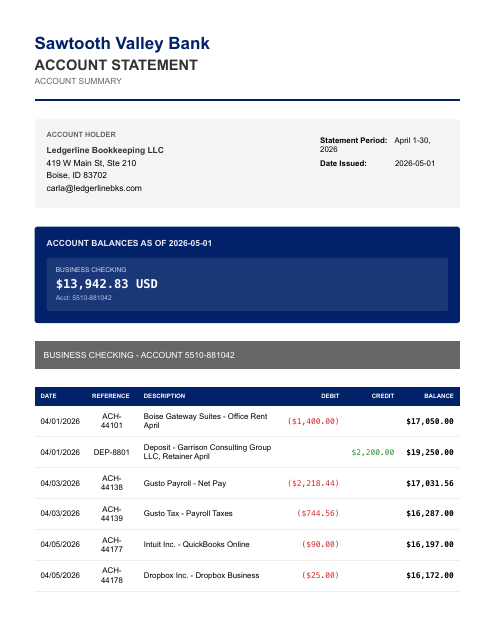
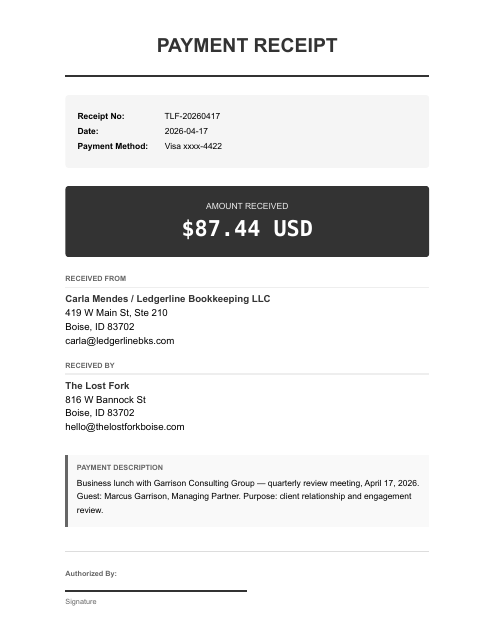
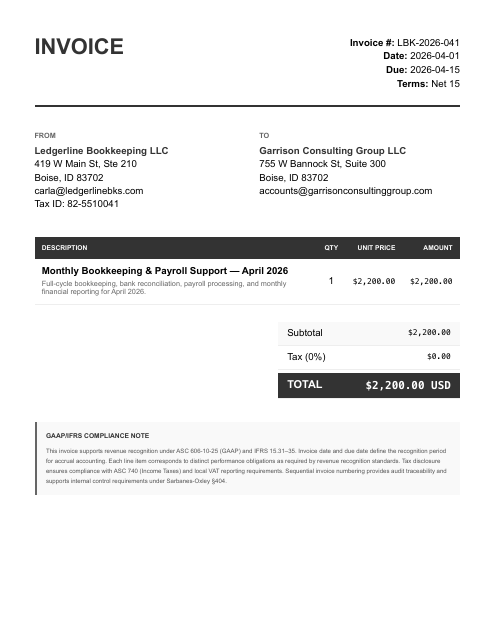
The parts that eat your evening.
- Your paycheck, your groceries, and your side-business income all run through one checking account — so nothing is really “the business's books.”
- At tax time your accountant bills you by the hour to untangle personal from business — or you do it by hand in a spreadsheet.
- QuickBooks and Xero want one entity per subscription, so keeping two sets of books means paying twice and re-entering everything.
- Get the split wrong and you either overpay tax or hand your preparer a pile to sort out.
FinStat applies two charts of accounts to the same pile at once. Each transaction goes to a book — household or business — or comes back to you as a question, reconciled at the statement layer, with the business side mapped to Schedule C categories. One upload, two sets of books — not a tax-season untangle fee.
One statement in. Every line routed to the right book.
SQ *SUNRISE STUDIO DEP 240514SAFEWAY #1123 6614 BOISE IDADOBE *CREATIVE CLOUD 888-652AUTOPAY ROCKY MTN POWERSTAPLES 00291 MERIDIAN IDAplPay THE LOST FORK 0417Two charts of accounts, one pass — your business (Schedule C) and your household books, both reconciled to the statement.
Two clean sets of books. Household and business, from one account.
Figures from a fictional household running a photography side business — each transaction tied to its source document, both books reconciled and review-ready.
Once connected, two steps.
Give your AI the documents.
Give your AI your statements, payouts, receipts, and bills — attach them, then say:
split my household from my business. Your statements are processed only for the work you ask for and never sold; they go to the AI sub-processors on our subprocessor list to be read.Ask for any report.
“Show me the business P&L for Schedule C.” “What household spending went through this account in May?” “Which charges did you send back to me as questions?” Review-ready accounting output, in chat. Each entry traces to its source line, so you can question any number in the chat.
Create your account. Continue in the console.
- Create your account
Sign up on any device, phone included. Your free tokens are on the account before you connect anything.
- Sign in on the computer where your AI runs
Open console.finstat.ai on the computer where you use Claude or your other AI, and sign in with the same account. Already on that computer? Keep going.
- Connect FinStat to your AI
Under Connections, pick your AI. The console shows the exact steps for adding FinStat to it. Using Claude? It also needs mcp.finstat.ai allowed before it can upload documents; the console shows where.
The MCP address and the setup steps for each AI are shown under Connections after sign-in.
Start with one month.
Hand the statements to the AI you already use with FinStat connected, and ask for the books. How FinStat compares →